

The Blurry BOL Photo Problem: Fix It at the Dock
The blurry BOL photo problem costs a small fleet the whole invoice, weeks later. How to catch a bad bill of lading photo at the dock, not in the office.
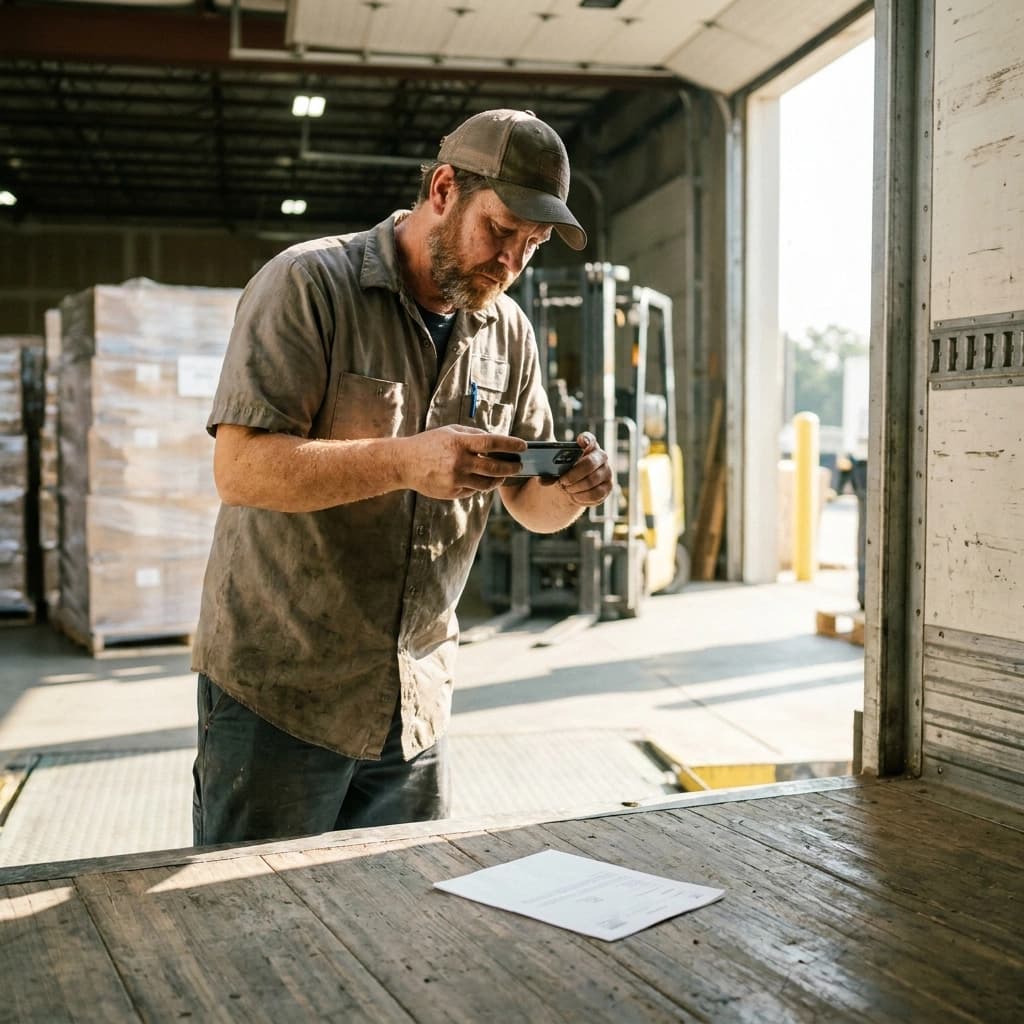
A bill of lading photo the broker cannot read is treated as no bill of lading at all, and the invoice sits until you produce a legible one. By then the paper is with the receiver, the driver is four states away, and the only copy you have is the smear. The cost of a bad photo is not a retake. It is the payment cycle on that load.
Every fleet has this story. The usual response is to get on the driver about it, which changes nothing, because the driver did not know the photo was bad either. Photo quality is a timing problem. A bad photo is free to fix while the truck is still at the dock and close to impossible to fix once it pulls away.
The timing matters more this fall than it did last fall. DAT's Dry Van Report published September 1 puts national dry van spot linehaul at $2.19 per mile excluding fuel for the week ending August 28, 2026, down 0.8 percent on the week but up 32.4 percent, or $0.53 per mile, on the same week a year earlier. That is 21.2 percent above the nine-year seasonal average of $1.80 per mile. On a 900-mile run, the linehaul you are holding up while you hunt for a readable BOL is roughly $1,970 at this week's average, against about $1,490 at last year's. Same paperwork failure, a third more money stuck behind it.
Why does a blurry BOL photo cost a small fleet the whole invoice?
Because the photo is the evidence, and there is usually only one.
The signed BOL is what proves the load moved, who signed for it, and when. When you bill a broker, that document is the attachment that turns a rate confirmation into a payable. A broker's AP clerk does not owe you the benefit of the doubt on a photo they cannot read, and they are not going to zoom in and squint on your behalf. They kick it back, and your invoice goes to the bottom of a pile it was never in.
Now count what it takes to fix. The receiver has the paper copy, so you are calling a dock you have no relationship with and asking someone to find a specific signed BOL from three weeks ago and scan it. Sometimes that works. Often it takes days, and sometimes the answer is that they cannot find it either.
The failure is not dramatic and nothing alerts you when it happens. The load delivers clean, the driver moves on, and the problem shows up weeks later as an aging invoice nobody can explain.
What makes a BOL photo unusable?
Five things account for most of it, and none are exotic.
Glare across the signature block. Dock lights and a phone flash both bounce off the top sheet, and the spot they wash out is usually the one that matters. Carbon copies are worse, because the signature is already faint.
The edge cut off. The load number, the PO, or the broker reference sits in a corner, and the frame clips it. The photo looks complete because the body of the document is there.
A skewed angle. Shot from the side while standing over it, the small print at the far edge stretches and goes soft. Legible in the middle, unreadable where the terms are.
Low light in the trailer. A phone compensates by raising ISO, which turns fine print into mush.
Motion blur. The driver is already walking. Half a second of movement is enough.
There is a sixth failure that causes more trouble than any of these, because nobody notices it: the photo looks fine as a thumbnail and falls apart at full size. A driver checks a two-inch preview, sees a document, and puts the phone away. The office opens it at full resolution and finds nothing readable.
That is why the check has to be a zoom, not a glance. Ten seconds at the dock: zoom to the load number and read it out, zoom to the signature and confirm it is dark and complete, and count the pages against what the receiver handed back. If any of the three fails, reshoot. It costs nothing at the dock.
How should a dispatcher check driver photos before the truck leaves the yard?
Your window is the same as the driver's, and it closes at the same moment. A photo reviewed while the truck is still there is a retake. The same photo reviewed at invoicing is a dispute.
Take a plausible run: a dry van from Laredo to Dallas for a mid-size brokerage, picking up at a cross-dock in the afternoon. The driver shoots the BOL, taps delivered, and rolls. If that photo lands where you can see it before he clears the yard, you have a window measured in minutes to say "shoot that again, the signature washed out." After he is on I-35, the window is gone.
Which means the real question is not whether anyone checks the photo. It is where the photo lives.
A photo in a driver's camera roll is checked by nobody. It is one of four hundred images on a personal phone, it reaches the office only if the driver remembers to text it, and if that phone is lost, cracked, or traded in, the only copy of your proof of delivery goes with it. A photo texted to a dispatcher is marginally better and still bad, because it lives in a thread with forty other loads and no connection to the job it belongs to.
A photo attached to the load is a different object entirely. It is visible to the office the moment it uploads, it is filed against the job without anyone naming it, and it is there in three weeks when the broker asks.
That is the actual competitor for a small fleet's paperwork. Not another platform. The camera roll and the group text.
How does Howdy Dispatch handle load photos today?
Literally, and with a driver app that is a real iOS app rather than a mobile web page. Howdy Dispatch is an AI dispatch platform built on both sides, which for paperwork means the capture and the review are the same system.
The driver captures a load photo at one-tap pickup, a manifest photo, and a delivery photo at one-tap delivery. Each one attaches to that load and lands in the per-load document gallery the office opens from the job detail page. Nobody files anything and nobody names a file.
Every driver photo is compressed on the phone before upload, resized to 2048 pixels at JPEG quality 0.85. That is a data-savings measure, not a quality check: it keeps an upload from dying on a weak LTE bar at a rural dock, which is its own way of losing paperwork.
A driver can delete and reshoot a photo they uploaded within a 30-minute window. HQ can delete at any time. That window is the part that matters for this problem, because it puts the fix in the hands of the person still standing at the dock. A bad shot caught in the first half hour is the driver's retake, not an escalation.
If the truck is in a dead zone, the offline outbox queues the status transition and drains when the signal returns, so a delivery tap in a canyon does not disappear along with the photo attached to it.
One thing that is coming and is not here yet: an AI photo quality check that flags blur and legibility at upload time, while the driver is still at the dock. It is listed under SHIPPING NEXT on the AI dispatch platform page. Everything above works today without it.
What Howdy Dispatch is not
Worth stating plainly, because this topic sits next to billing and compliance.
It is not an ELD, and it does not produce FMCSA-certified hours-of-service output. It is not a freight broker and not a carrier of record. It is not an invoicing, factoring, or AR product: your fleet still bills the broker the way it does today. It is not a CDL or HOS compliance product.
What it does is make sure the paperwork exists, is attached to the right load, and is readable when you go to bill.
The Monday-morning version
Three habits, and none of them require buying anything.
Check at the dock, not at the desk. Zoom to the load number, zoom to the signature, count the pages. Ten seconds while the paper is still in reach.
Attach it to the load, not to a person. However you do it, the photo should end up filed against the job the moment it is taken. If getting it there depends on someone remembering to forward it, it will fail on the loads you are busiest on.
Never let the only copy live in a phone. A personal camera roll is not a records system, and it walks out the door with the driver.
Do those three and most of this problem goes away. If you want the checking and the filing to be the same step, start a 14-day free trial and run a week of loads through it.

READ NEXT
Detention Pay Is on the Table. The Fleets That Collect It Can Prove the Clock.
Most small fleets charge detention but collect it less than half the time. Here is the timestamped paper trail that actually wins a detention claim.
Freight Fraud in 2026: Your Load File Is the Defense
Cargo theft dipped in early 2026 while fraud schemes climbed. What a small carrier can actually prove about a load is now most of the defense.