

EVERY LOAD,
FROM HANDSHAKE
TO DELIVERED.
Ten features. One platform. The order you already work in.
Howdy Dispatch is an AI dispatch platform built on both sides: a web HQ for the dispatcher and an iOS app for the driver. The load moves from rate con to signed proof of delivery without a text thread or a spreadsheet in the middle. Everything on this page is live in production today.
Dispatch
DISPATCH IN 60 SECONDS
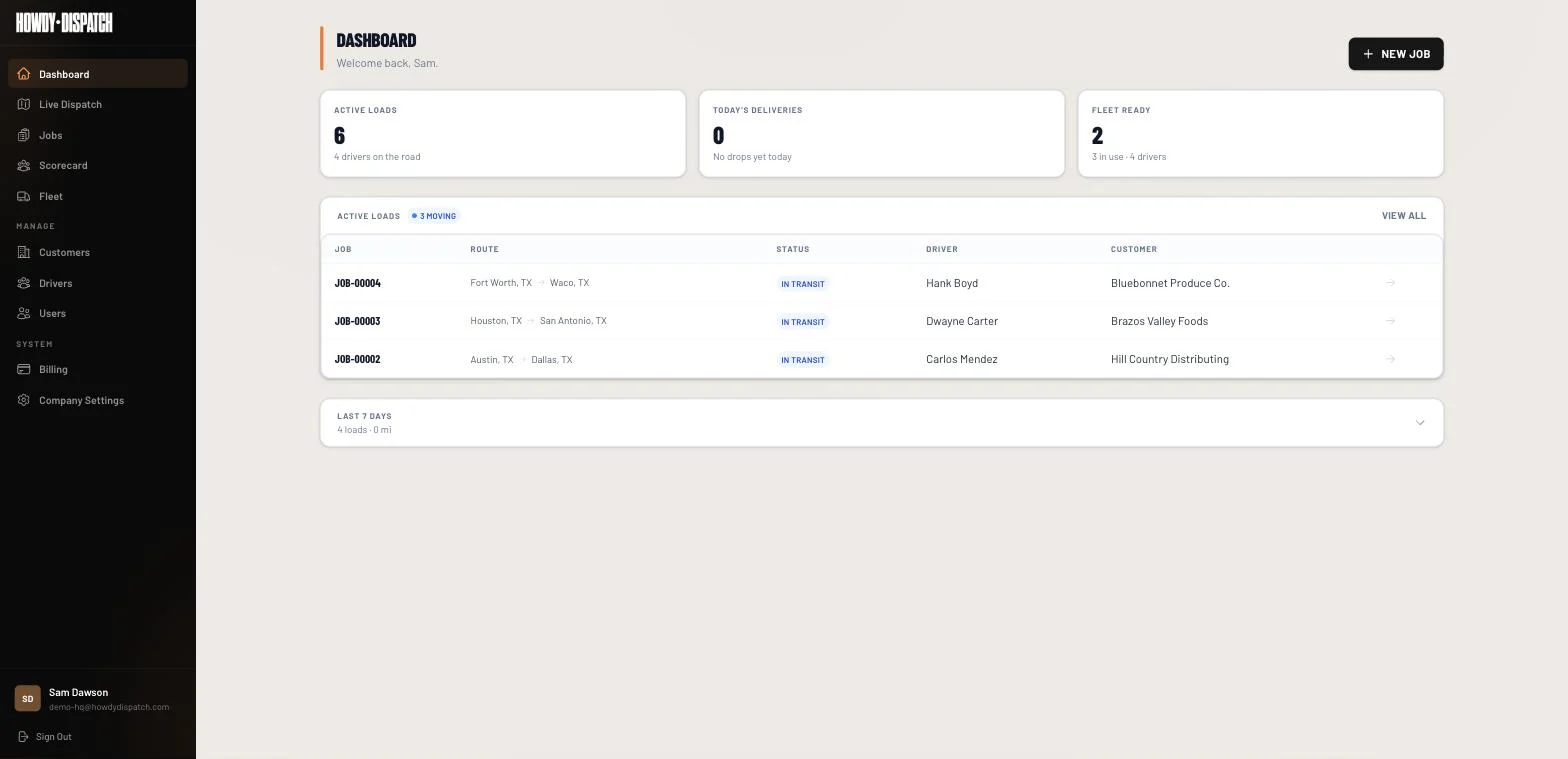
Type the load in or drop a broker rate confirmation PDF onto your board. Pick a driver, pick a truck, hit assign. The driver gets a push on their phone before you reach for your coffee.
Customers come out of an address book that already holds their billing and shipping defaults, and every address field autocompletes through Google Places, so nobody retypes a dock address twice. The rate con stays attached to the load for good. When a broker calls about a load in March, the paperwork is one click away instead of buried in an inbox.
- Manual job creation with origin, destination, cargo, customer
- Attach a broker rate con PDF, keep it tied to the job forever
- Pre-loaded driver and truck lists, one-click assignment
- Push notification fires the moment you assign
Driver
DRIVERS DO THE REST FROM A PHONE
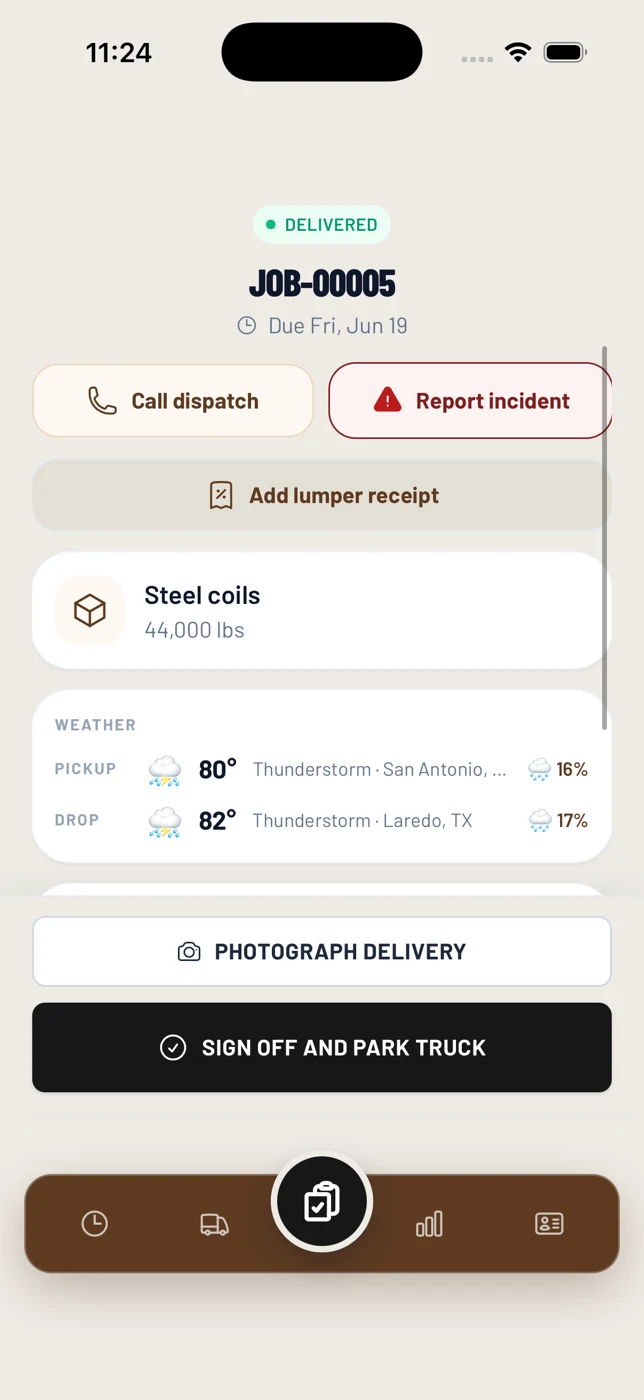
Drivers tap once to accept the load, snap a photo at pickup, photo the manifest in the same flow, snap the delivery proof, hit sign-off at the garage. No text threads. No spreadsheets. No retraining.
If a driver cannot take a load, they pick one of eight reasons (no truck, equipment mismatch, scheduling, distance, pay, unsafe, personal emergency, other), so you know why before you pick up the phone. The app remembers whether they drive with Apple Maps, Google Maps, or Waze, shows their next load when one is scheduled, and compresses photos so uploads work on a weak LTE signal.
- Push notification on assignment, one-tap accept
- Photo capture for load proof, manifest, and delivery
- Status flips automatically as the driver moves through the job
- Sign-off at the garage frees the truck for the next assignment
Live Map
YOU SEE EVERY TRUCK, LIVE
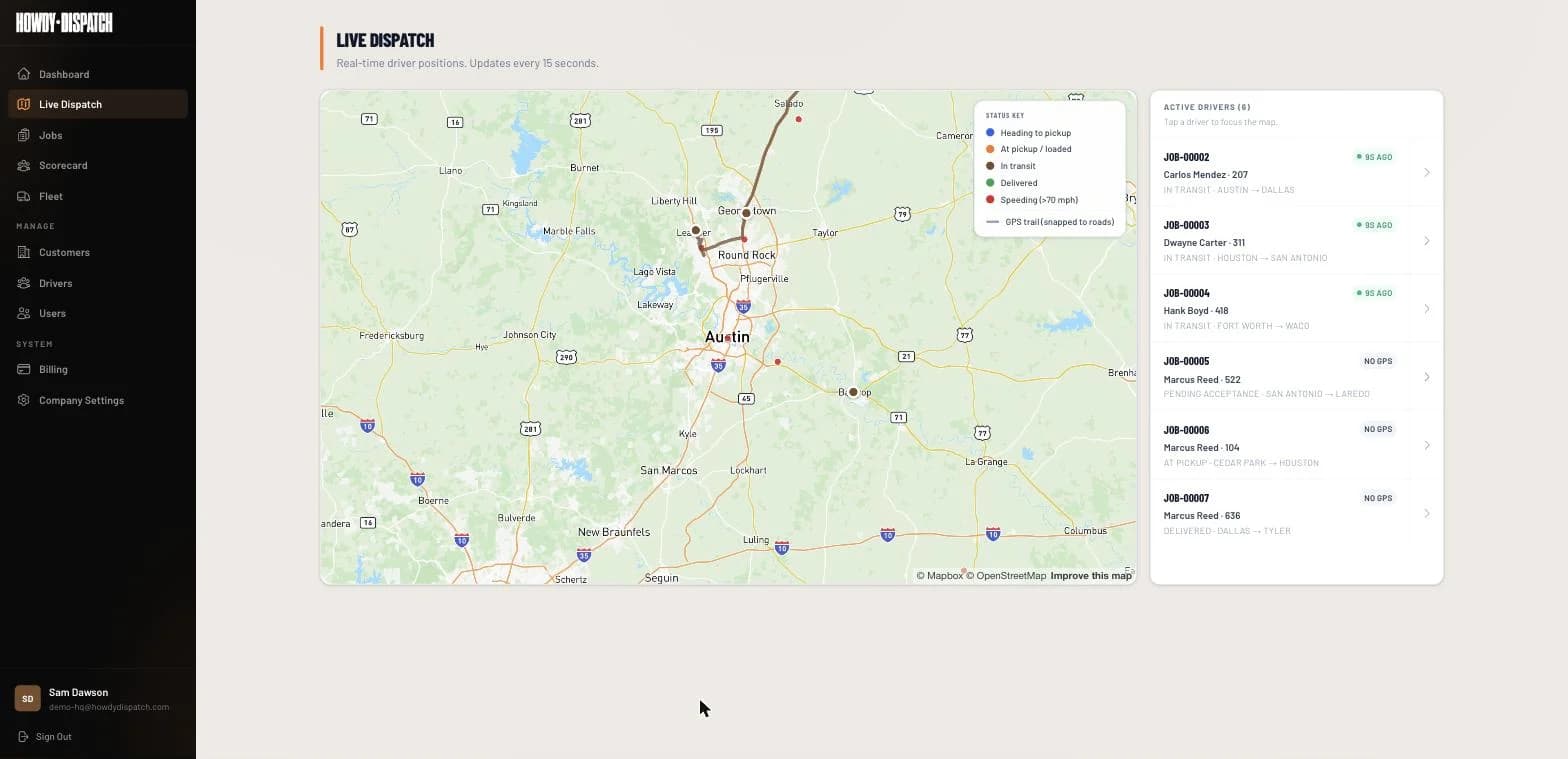
Continuous GPS while the load is in transit, plotted on the HQ desktop map. No more calling drivers for ETAs. No more guessing whether the pickup happened. Just look at the screen.
Tracking follows the driver's shift clock. A driver starts, breaks, resumes, and ends a shift in the app, and off-duty drivers do not ping dispatch. On iOS the tracking keeps running with the screen locked. If a status tap happens in a dead zone, the app queues it and sends it when the signal comes back.
- Ping every 60 to 90 seconds while on assignment
- Live pins on the HQ desktop map
- Per-load GPS trail you can replay end of day
- No separate ELD hardware required
Records
EVERY LOAD IS ITS OWN RECORD
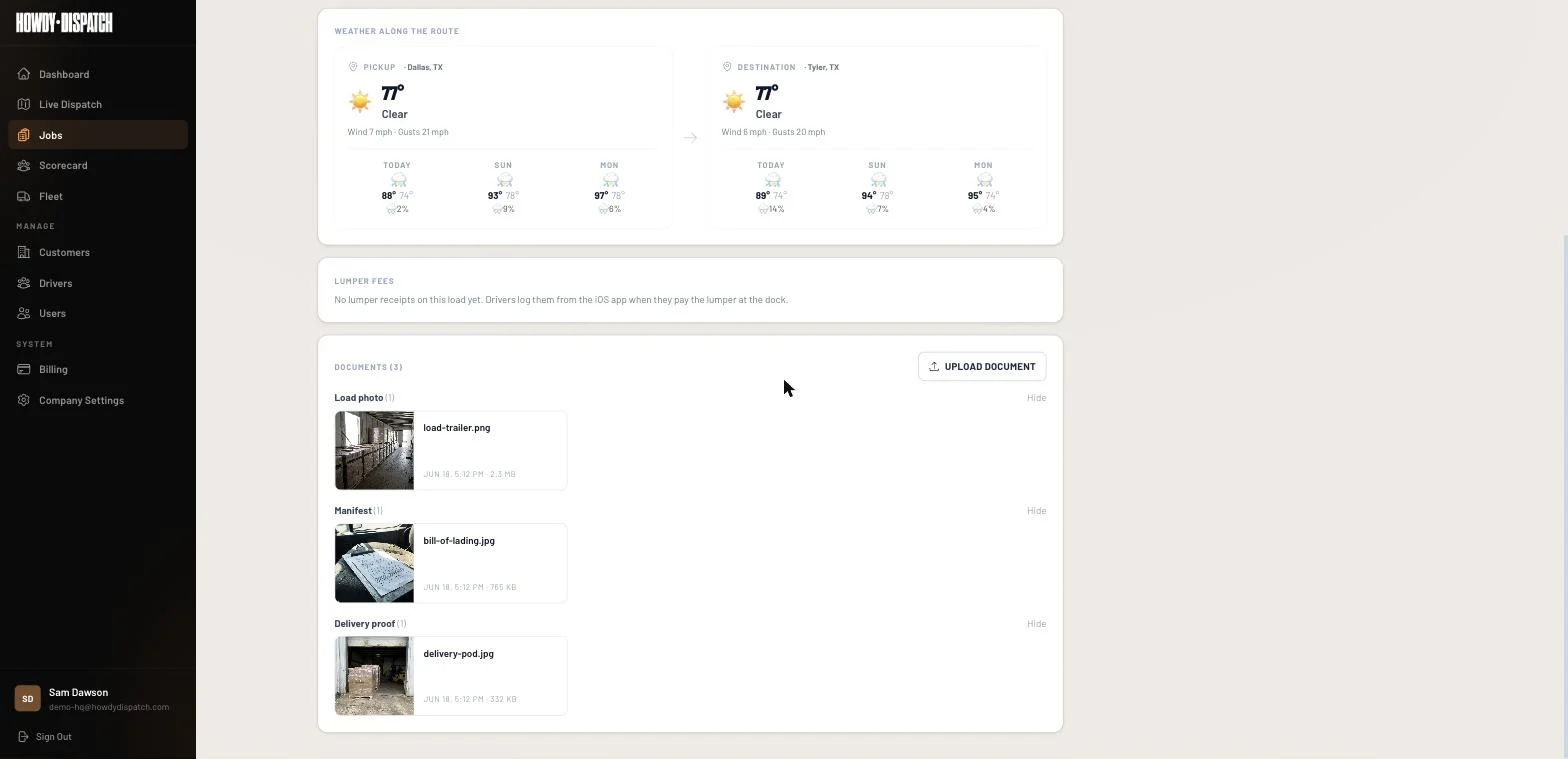
Pickup time, photos, GPS trail, delivery time, signed proof. Every load lives as a single searchable record. Analytics dashboards roll the records up. Multi-tenant from day one, so your data stays your data.
The driver document gallery sits on the job detail page, next to the rate con. Drivers can delete a bad photo within 30 minutes of uploading it, and HQ can clean up anytime. The audit log keeps the action history for your company, so you can see who changed what on a load and when.
- Per-load record with timestamps, photos, GPS trail, proof
- HQ analytics dashboards across drivers, trucks, customers
- Per-load document access from a single URL
- Multi-tenant isolation, your data never touches another carrier's
AI Intake
RATE CONS THAT FILL THEMSELVES IN
Drop a broker rate confirmation PDF into Howdy Dispatch and the AI reads the customer, origin, destination, mileage, rate, pickup and delivery times, and the broker contact. It matches the customer, driver, and truck against your address book and validates both addresses with Google. The dispatcher reviews every field and saves. What used to be 5 to 10 minutes of typing per load becomes about 20 seconds of review.
That is the one AI feature live today. It does not pick loads, set rates, or route trucks. The dispatcher and the driver stay in charge of those calls.
MORE THAT SHIPS TODAY
Mid-load incident reporting
Accidents, breakdowns, traffic stops and DOT inspections, cargo damage, weather delays, theft attempts, medical events, and roadblocks, reported from the driver app with photo evidence. Every dispatcher, admin, and owner gets a push.
Detention timer
Pickup and delivery wait time is tracked against the appointment window, with a grace period your company sets, and saved on the load so the wait is on record.
Lumper receipt tracking
The driver photographs the lumper receipt at the dock, enters the amount, and tags who paid. HQ sees a per-load lumper total by payment source. It records the money; it does not invoice anyone.
Stale-pending alert
A red chip on the HQ jobs page when a load has waited more than 15 minutes for a driver to accept, or when an incident is still unresolved.
Team roles and invites
Owner, admin, dispatcher, and driver roles. Invite people by email, resend an invite, and see when each person last logged in. Seat counts follow your plan.
Driver app badges
The home-screen badge on the driver app counts pending loads and open incidents, so a driver knows there is something waiting without opening the app.
What Howdy Dispatch is not: it is not an ELD, a freight broker, a load board, a factoring company, or an invoicing or accounting tool. Invoicing, payroll, and payments stay in the system you already use.
READY TO HAUL?
14-day free trial. Cancel anytime. Under 5 minutes to set up.